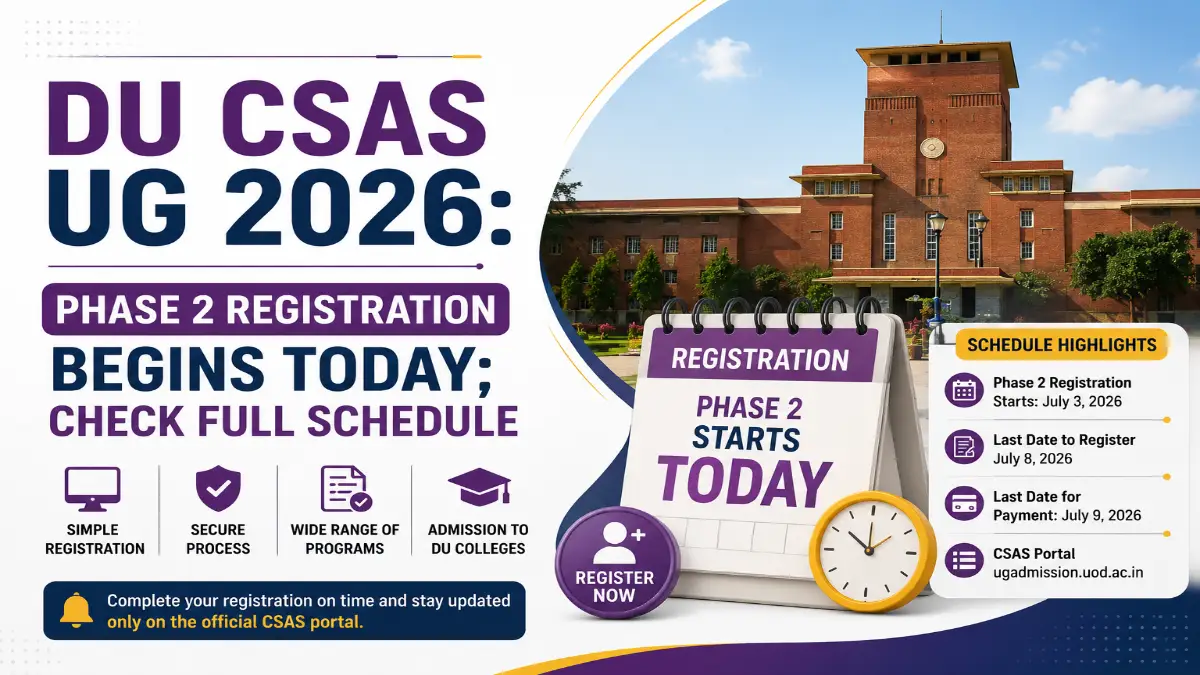


Delhi University has officially opened the CSAS (Common Seat Allocation System) portal for undergraduate admissions to the 2026–27 session. If you have your CUET UG scorecard in hand or even if you are still waiting for your result, this is the moment to act.
Here is everything you need to know: how to complete Phase 1 registration today, what documents to keep ready, how much you pay, and crucially what Phase 2 preference filling looks like and why it is the most important step of your entire DU admission journey.
What Exactly Is CSAS, and Why Does It Matter So Much?
CSAS is Delhi University’s single, centralised admission platform. It covers roughly 70,000 seats across 91 colleges and 78 programmes everything from SRCC and Hindu College to Miranda House and Lady Shri Ram.
The system replaced the old cut-off list model. DU stopped using Class 12 board marks for UG selection in 2022 CUET UG scores now decide every single seat allocation at DU.
The most important thing to understand upfront: registering on CSAS is mandatory even with a valid CUET score. Qualifying CUET alone does not secure a seat. You must complete this portal process to be considered for any DU college.
Who Is Eligible to Apply?
Eligibility for CSAS has specific conditions that many candidates overlook. Meeting the basic criteria does not automatically mean you can apply to every programme subject mapping rules apply separately.
You are eligible if:
- You have qualified CUET UG 2026 and hold a valid scorecard
- You have passed Class 12 (or equivalent) from a recognised board
- Your CUET subject combination matches the requirements of the programme you wish to apply for
- You complete Phase 1 registration, document upload, and fee payment before the deadline
Important: Delhi University assigns each programme a specific set of required CUET subjects. For example, a BSc (Hons) Physics programme may require you to have appeared in CUET Physics, Mathematics, and a language paper. If your subject combination does not align, the portal will not allow you to select that course during preference filling even if your overall CUET score is high.
The 3-Phase DU Admission Process At a Glance
Before diving into steps, understand the big picture. The entire DU admission cycle runs in three distinct phases:
| Phase | What Happens | Status |
| Phase 1 | Registration, document upload, fee payment | Open Now |
| Phase 2 | College & programme preference filling | Opens after CUET results |
| Phase 3 | Seat allotment rounds, acceptance & verification | Post-preference |
Each phase serves a specific purpose, and skipping or incompletely finishing an earlier phase disqualifies you from the next. There are no exceptions. Do not wait.
Phase 1: Step-by-Step Registration Guide
Documents to Keep Ready Before You Start
Gather these before opening the portal the form times out and you do not want to scramble mid-way:
- CUET UG 2026 Application Number and Password (from NTA)
- Class 10 Marksheet (for date of birth verification)
- Class 12 Marksheet (for academic record)
- Passport-size photograph (recent, white background, JPEG format)
- Scanned signature (black ink on white paper, JPEG format)
- Aadhaar Card (for identity verification) Category Certificate if you belong to SC, ST, OBC-NCL, EWS, or PwBD categories
- OBC-NCL certificate must be issued on or after April 1, 2026 older certificates are rejected
- EWS certificate must also be current year
- Ensure your name on the certificate exactly matches your Class 12 board certificate and CUET form
- Critical Warning: The candidate’s name on reservation certificates mu
Step-by-Step: How to Fill the Phase 1 Form
Step 1: Visit the official portal at ugadmission.uod.ac.in
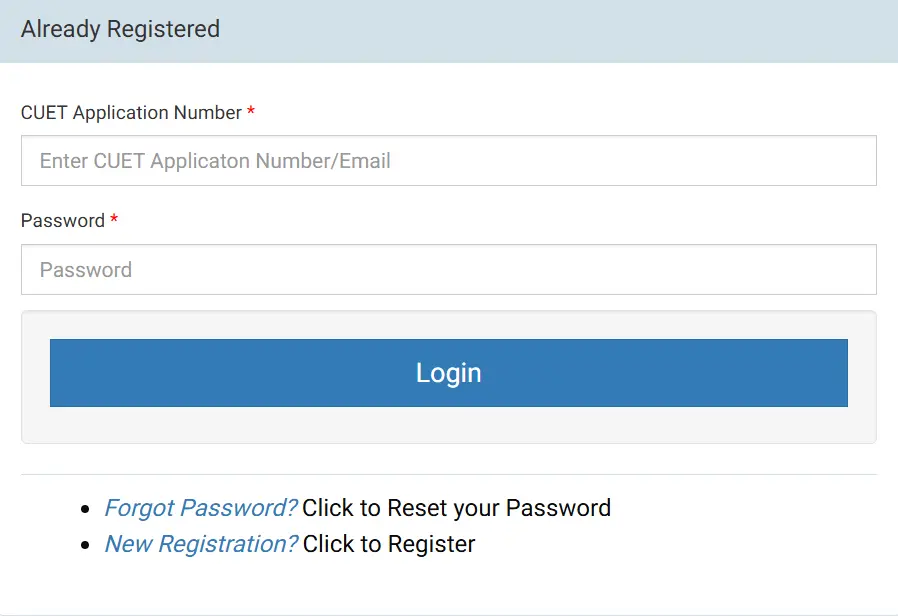
Step 2: Log in using your CUET UG 2026 Application Number as your User ID and the password you set on the NTA portal. If you have forgotten the password, use the ‘Forgot Password’ option linked to your registered email.
Step 3: Complete your Personal Details name, date of birth, gender, nationality, and contact information. Double-check every field. Certain fields including email ID, category, and gender, cannot be edited later even through the correction window. Treat these as permanent.
Step 4: Fill in your Academic Details Class 10 and Class 12 board, roll number, year of passing, and subjects studied. The subjects you list here must align with your CUET papers.
Step 5: Select your applicable Quota or Category General, OBC-NCL, SC, ST, EWS, PwBD, Sports Quota, or ECA (Extra-Curricular Activities) Quota. The portal also handles sports and ECA documentation at this stage.
Step 6: Upload all required documents in the format and file size specified on the portal. Standard requirements:
- Photographs: JPEG format, under 200KB
- Documents: PDF or JPEG, under 300KB each
Step 7: Review the entire form once before submitting. Once submitted, only certain fields can be corrected in the correction window.
Step 8: Pay the CSAS registration fee (see fee details below). Registration is only considered complete after successful payment.
Step 9: Download and save your confirmation page as a PDF. Also check your registered email including your spam folder, for the system-generated confirmation message.
CSAS Phase 1 Registration Fee
| Cateogry | Registration Fee |
| General / OBC-NCL / EWS | ₹250 |
| SC / ST / PwBD | ₹100 |
Key things to know about the payment:
- This is a one-time, non-refundable payment entirely separate from the college admission fee paid later after seat allotment in Phase 3
- Accepted payment modes: UPI, debit card, credit card, net banking
- No offline or cash payment is accepted under any circumstance
- If your payment is debited but the portal does not show confirmation do not pay again. Note the transaction ID and contact the CSAS helpdesk with proof
What Can Be Corrected And What Cannot
A correction window opens after Phase 1 closes. Know this before you submit:
Fields you CAN edit in the correction window:
- Name, address, and phone number
- Academic details and marksheet uploads
- Category certificates, minority certificates, EWS and caste certificates
- Sports and ECA supporting documents
Fields you CANNOT edit under any circumstances:
- Email ID
- Gender
- Category (General / SC / ST / OBC-NCL / EWS)
- Photograph and signature (auto-synced from your CUET form and locked)
CRITICAL WARNING: Do not rush through the category and gender fields. These are permanently locked the moment you submit. A wrong category selection means you lose your fee benefit and may be ineligible for reserved seats. There is no override, not even through the DU helpdesk.
Phase 2: Preference Filling The Step That Decides Everything
Once CUET UG 2026 results are declared, Phase 2 opens. This is where most students either win or lose their dream seat not because of their score, but because of how smartly they fill their preferences.
What Happens in Phase 2?
You log in and rank every acceptable programme-college combination in order of preference. There is no upper limit on the number of preferences you can fill. DU allots seats starting from your highest preference downward.
Think of it this way: every extra preference you add is a safety net beneath you. The more you add, the safer you are.
How the Allocation Logic Works
If you do not meet a higher-preference college’s cutoff, CSAS automatically moves to your next preference so listing reach colleges at the top costs you nothing. Always put your dream college first, even if it feels like a stretch.
The “Upgrade” Option in Allotment Rounds: Your Ultimate Safety Net
Are you worried that clicking the “Upgrade” button in subsequent admission rounds will cause you to lose the seat you already have? This is one of the most common myths among anxious candidates. Let’s clear it up once and for all: You will never lose your confirmed seat while trying for a better one.
The seat allocation system is designed to protect your hard work. Think of it as a risk-free safety net as you navigate multiple allocation rounds.
How the “Upgrade” Feature Works Safely
When a seat is allocated to you in Round 1, choosing to participate in the upgrade round comes with zero risk to your secured option:
- Your Current Seat is Locked: Your lower-preference seat is safely held by the system. No other applicant can take it away from you while the next round is being processed.
- If You Get a Higher Preference: The portal automatically assigns you to your new, higher-ranked college or course combination. Your older, lower-preference seat is then automatically released for other matching candidates.
- If You Do Not Get an Upgrade: You aren’t kicked out of the university system. If your scores don’t clear the new cut-offs, you simply retain your original Round 1 seat with full admission rights..
CRITICAL WARNING: You must formally “Accept” your allocated seat, let the college verify your documents, and complete your online fee payment during the Round 1 window. If you skip any of these steps or fail to pay the initial admission fee, your application is permanently flagged as inactive, and you will be completely disqualified from using the Upgrade feature
Tier 3 Safety Choices (Remaining preferences)
Colleges and off-campus options where admission is very likely given your score. Never skip this tier it is what ensures you do not walk away from DU entirely due to an unlucky cutoff shift.
Pro Tip: Before Phase 2 opens, download the official DU CSAS programme-wise eligibility and subject mapping PDF from the portal. Cross-check every programme on your wishlist against the CUET subjects you appeared for. This one step prevents wasted preferences and avoids the frustration of discovering an ineligible choice during allotment.
Phase 3: Seat Allotment, Acceptance & Document Verification
After Phase 2 closes and preferences are locked, DU runs multiple seat allotment rounds.
Round 1 Initial Seat Allocation Your allotted seat appears on the portal. You must accept the offer within the given deadline. Upon acceptance, document verification begins at your allotted college.
Round 2 Upgradation If you opted for upgrade, CSAS attempts to place you at a higher preference using newly vacated seats. Your Round 1 seat remains held until a better seat is confirmed.
Further Rounds Vacant seats from candidates who did not accept are redistributed. In 2025, Round 1 General category cutoffs reached as high as 926/1000 for top programmes, dropping 10–25 marks by Round 3 meaning later rounds are genuine opportunities, not just leftovers.
After receiving an allotment, do these four things immediately:
- Accept the seat on the portal within the stipulated deadline
- Pay the college admission fee (this is separate from your Phase 1 CSAS fee)
- Report for document verification at your allotted college with all originals
- Carry every document submitted online — the college cross-checks each one physically
Failure to accept within the deadline results in automatic forfeiture of that allotment. The portal will not send reminders. Set an alarm.
Final Word
The students who land seats at top DU colleges are not always the highest scorers. They are the ones who registered without delay, filled more preferences than they thought they needed, and used the upgrade system intelligently.
Stay Updated: Admission rules change fast. Keep checking Entrance Fever for real-time alerts and step-by-step preference guides!